The short version
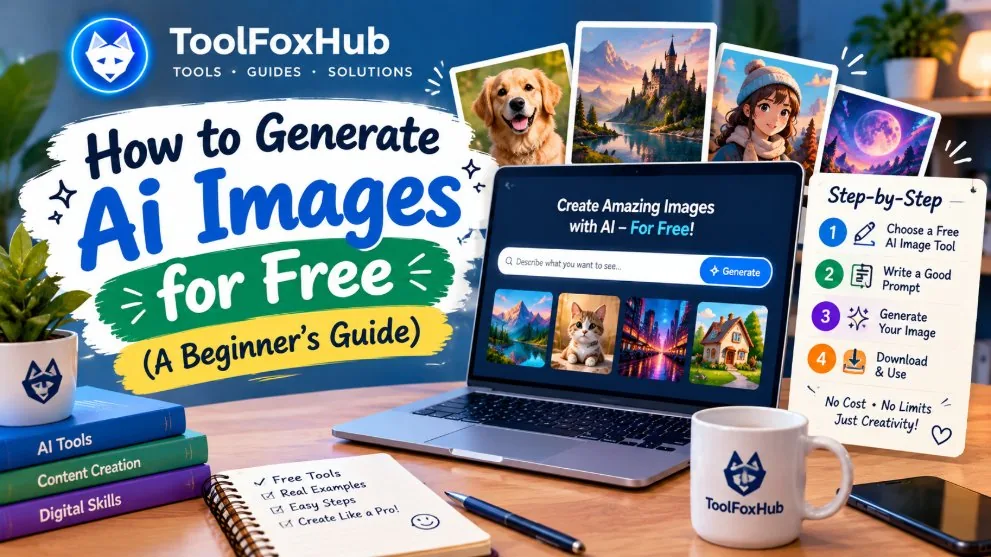
Making an AI image takes two things: a written description (called a prompt) and an image generator — a service that reads your words and draws the picture. A year or two ago this mostly meant paid subscriptions. Today every major generator has a free way in, and a complete beginner can make a genuinely good first image in about ten minutes, without paying anything and without any artistic skill. This guide covers the free generators worth starting with, the exact steps for your first image, what makes a prompt work, and how to fix the problems everyone runs into.
One honest note before the list: free tiers change often — a service that allowed twenty free images a day may allow five next month. Treat the limits below as "how it worked in late 2026" and check the site itself for the current allowance.
The free generators worth starting with
ChatGPT (OpenAI)
The easiest starting point if you already chat with it: you simply describe the picture in the conversation — "draw a lighthouse in a storm at night" — and the image appears in the chat, where you can ask for changes in plain words ("make it dawn instead"). Free accounts can generate a limited number of images per day. Its great strength is editing: upload a photo and ask for a change, and it understands context better than most.
Microsoft Image Creator (Bing / Microsoft Designer)
Microsoft's generator, powered by DALL·E, is free with a Microsoft account and has historically been one of the most generous free options. It works from a simple prompt box, produces four variations at a time, and needs no design knowledge at all. A good default choice for posters, scenes and illustrations.
Leonardo AI
Leonardo gives free accounts a daily allowance of tokens, and in return offers the most control of the free options: aspect ratios, style presets, and models tuned for everything from photorealism to game art. If you find yourself making images every week — for a channel, a shop or a game — this is usually where beginners graduate to.
Ideogram
Ideogram's specialty is text inside images — posters, logos, T-shirt slogans and signs that other generators garble. Its free tier is limited but real, and for anything with words in the picture it is the first place to try.
Perchance
The no-friction option: Perchance's AI image generator runs free with no account at all. Quality varies more than the big names, but for experimenting — trying ten ideas in ten minutes while you learn what prompts do — nothing beats opening a page and typing.
Your first AI image, step by step
- Decide the picture in one sentence. Not the style yet — just the thing itself: "a small wooden cabin beside a lake with mountains behind it."
- Build the prompt. A generator reads plain description best when it includes the subject, the medium (photo? painting?), the light and the framing. Our free AI Image Prompt Generator assembles all of that from nine quick questions — pick "General art", type your sentence, choose a style, and copy the result.
- Paste it into a generator from the list above and run it. Wait for all the variations — generators usually return several at once.
- Judge the set, not the single image. One of the four will usually be closest. Save that one.
- Change one thing and re-run. Too dark? Change only the lighting phrase. Wrong era? Change only the style. Editing one variable at a time teaches you what each phrase does — rewriting the whole prompt teaches you nothing.
- Save the prompt with the picture. The prompt is the recipe. In a month, when you want the same look again, you will be glad you kept it.
What makes a prompt work
Compare the two prompts below. The first gets a forgettable stock-image lighthouse. The second gets a picture worth framing — and the only difference is three added layers: medium, light and framing.
Weak: "a lighthouse in a storm"
Strong: "a lighthouse on rocky cliffs during a stormy night, crashing waves, cinematic, photorealistic, ultra detailed --ar 16:9"
The layers that do the work are always the same four: a specific subject (not "a bird" but "a barn owl on a fence post"), the medium (photograph, oil painting, line art — the same subject becomes three different pictures), the light (golden hour flatters almost anything; neon and moonlight set genre), and the framing (close-up portraits feel intimate; wide shots feel epic). You do not need all four every time — but when a result disappoints, it is almost always a missing layer, not a bad generator.
Fixing the three problems everyone hits
Strange hands and faces. Still the most common flaw. Fixes that actually help: keep hands out of the hero position (behind the back, holding something simple, or out of frame), avoid crowd scenes where twenty faces must all be right, and simply re-generate — the same prompt often gets hands right on the third attempt.
Garbled text. If the image needs words, keep them to two or three, put them in quotes in the prompt, and prefer Ideogram. Or generate the picture wordless and add the text in any editor afterwards — for posters and thumbnails this is what most professionals quietly do.
"It ignored half my prompt." Generators weigh early, concrete words most heavily. Put the subject first, keep the prompt under roughly sixty words, and remove contradictions ("bright dark room", "minimal cluttered desk"). If an element matters, name it once, clearly — repeating it five times does not help.
The honest rules
Three ground rules keep you out of trouble. First, do not pass AI images off as real photographs of real people or real events — that is deception whether or not a rulebook mentions it, and platforms increasingly label AI content anyway. Second, commercial use depends on the generator's terms: most paid plans grant it, free tiers differ, so read the plan page before selling a design or running an ad with an AI image. Third, styles are free to imitate but living artists' names and real brands are sensitive — describe the look ("flat vector, two colours") rather than borrowing a name or a logo. Follow those, and AI images are simply a new kind of camera: a tool whose output is yours to enjoy.
Frequently asked questions
Do I need a powerful computer? No. The generators run on the company's servers; any phone or laptop with a browser is enough.
Which free generator is best overall? For a first image, ChatGPT or Microsoft Image Creator for ease; Leonardo if you want control; Ideogram if the image contains words; Perchance if you want zero sign-up. They are free to try — the best one is the one whose results you like.
Why does the same prompt give different images? Generation involves randomness by design. Every run is a fresh interpretation, which is why saving the prompt and re-running is a normal part of the process.
Where can I get prompts without writing them? Use the AI Image Prompt Generator on this site — it builds prompts for any subject, and its library includes ready-made prompts for profile pictures, tattoo designs, scenes, products and logos. For tattoos alone, see our 40 AI tattoo design prompts.