Roman Urdu to Urdu converter — and back again
If you type in Roman Urdu — Urdu written in English letters — you already know the problem this page solves. Roman Urdu is how millions of Pakistanis actually write every day: fast, easy, and readable on any keyboard. But sometimes you need proper Urdu script: a formal post, a message to someone who reads script, a document, a greeting. And sometimes it is the other way round: you are looking at Urdu script and you want to know how it sounds, in letters you can read. This guide explains both directions, how conversion actually works, where it can go wrong, and how to get a clean result — with a free tool that does both directions in one place.
What is Roman Urdu?
Roman Urdu is the Urdu language written with the Latin alphabet — the same letters as English — instead of the Perso-Arabic script. It became the default way to write Urdu online for a simple reason: most keyboards, especially on phones, default to English letters, and most people never installed an Urdu keyboard. So “aap kaise hain” became the way to write آپ کیسے ہیں, and it stuck: in chats, comments, captions and messages, Roman Urdu is now the everyday written form of the language for a huge number of speakers.
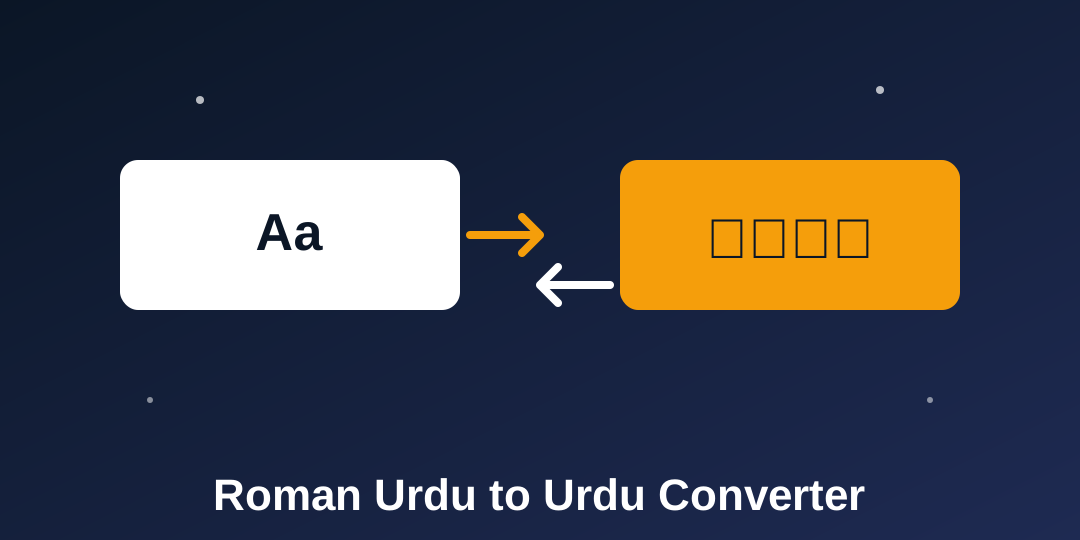
That creates a gap. Roman Urdu is easy to type but hard to use formally: it looks informal in a document, it cannot be read by someone who only reads script, and it is not how Urdu is printed or taught. A converter bridges that gap in both directions — Roman to script when you need the formal form, script to Roman when you need the sound.
How conversion works: dictionary first, letter rules second
A good converter works in two layers, and understanding them explains both its accuracy and its limits. The first layer is a dictionary of common words: everyday words have fixed, correct spellings, so the sentences you type most often come out right. Words like aap, kaise, hain, shukriya, mera, ghar and pakistan are in this layer, and so are common phrases such as “assalam o alaikum” and “pakistan zindabad”, which are handled as whole phrases so their parts do not get converted separately and wrongly.
The second layer is letter rules for everything else. Letter combinations map to their Urdu letters: sh to ش, kh to خ, ch to چ, gh to غ, ph to پھ, bh to بھ. Long vowels map to their letters: aa to آ, ee to ی, oo to و. And capital letters pick the harder variant of a sound: T for ٹ instead of ت, D for ڈ instead of د, R for ڑ, S for ص, Z for ذ, H for ح, A for ع, N for ں. Between the two layers, most everyday text converts well — the dictionary covers the words you use most, and the rules cover the rest by sound.
Why Roman to Urdu is the harder direction
Here is the honest difficulty, and it is worth understanding before you trust any converter blindly. Urdu has several letters for a single sound. The “z” sound alone can be written ز، ذ، ض or ظ; the “s” sound can be س، ص or ث; the “h” sound can be ہ or ح; the “a” sound can be ا or ع. Roman letters give no clue which one is right — the answer is in the word itself, not in its sound. The word “zaroor” is spelled with ض, “zameen” with ز, and no letter rule can tell them apart: only a dictionary entry for that exact word can.
That is why dictionary size is the real quality measure of a Roman-to-Urdu converter, and why rare words are where mistakes happen. A rare word that is not in the dictionary gets converted by sound, and it may pick the wrong letter for its sound. The practical fix is simple: check the output before copying, and correct a rare word if it looks wrong. Any converter that promises perfect accuracy for every word is promising something its method cannot deliver — which is why the Roman Urdu Converter on this site keeps its output editable.
Why Urdu to Roman is the easier direction
The reverse direction has the opposite luck. Every Urdu letter has exactly one Roman sound: ز، ذ، ض and ظ all become a plain “z”, which is exactly how Roman Urdu writes them anyway. The ambiguity that makes Roman-to-Urdu hard simply disappears in reverse, because Roman Urdu never distinguished those letters in the first place.
The reverse direction has one real difficulty instead: Urdu script usually does not write short vowels. The word کتاب is written k-t-a-b, but pronounced “kitaab” — the short “i” is not written anywhere. A pure letter-by-letter conversion would therefore give “ktaab”, not “kitaab”. Common words are saved by the dictionary (which stores the full spoken form), so everyday sentences come out right; rare words can come out missing a vowel. Again, the fix is the same: an editable output, checked before copying.
Two smaller reverse rules are worth knowing. The do-chashmi he (ھ) turns the letter before it into an aspirated sound: بھ becomes “bh”, پھ becomes “ph”, تھ becomes “th”. And the letters و and ی change role by position: و at the start of a word is “w”, elsewhere it is usually “o”; ی at the start is “y”, in the middle “ee”, at the end “i”. The dictionary handles the common cases, and the rules handle the rest.
Examples: both directions
| Roman Urdu | Urdu script |
|---|---|
| aap kaise hain | آپ کیسے ہیں |
| shukriya | شکریہ |
| mera naam haroon hai | میرا نام ہارون ہے |
| pakistan zindabad | پاکستان زندہ باد |
| assalam o alaikum | السلام علیکم |
Read the table right to left for the reverse direction: the same five lines convert back to the same Roman forms. That round trip — convert, swap, convert back, compare — is also the best way to check a result you are unsure about.
Two-way in one tool: why it matters
Most converters handle one direction only, which means converting text back needs a second tool, a second page and a second paste. Keeping both directions in one tool, with a swap button and auto-detect, removes that friction. Auto-detect is the quiet hero here: paste anything — Roman, script, or a mix of both — and each word is checked on its own, so Urdu words convert to Roman and Roman words convert to Urdu in the same passage. Mixed messages, which are extremely common in real chats, finally convert in one pass.
Privacy is the other reason to prefer a browser-based converter. Some converters send your text to an AI service or need credits; a browser-based one never sends anything anywhere, because the dictionary and the rules live inside the page itself. Your messages stay on your device, which is the same promise every ToolFoxHub tool makes.
Tips for a clean result
- Write standard Roman Urdu. The converter expects common spellings (aap, kaise, hain). Heavy abbreviations and creative spellings convert less reliably.
- Check rare words. Names, uncommon words and technical terms are the likeliest mistakes — read the output once before copying.
- Use the round trip to check. Convert Roman to Urdu, swap, convert back, and compare with your original. Differences point at the words to fix.
- Keep English out of the input. English words typed in will also be converted letter by letter, so paste Roman Urdu only.
- Use the dictionary's strengths. Full sentences convert better than isolated rare words, because common words around them anchor the result.
Frequently asked questions
Is the Roman Urdu converter free?
Yes — like every tool on ToolFoxHub, it is free to use with no sign-up. The page is supported by ads, and the optional sponsored link in the box above helps keep it free.
Can it convert Urdu script to Roman Urdu too?
Yes. The tool is two-way: Roman to Urdu, Urdu to Roman, plus an auto-detect mode that handles mixed text word by word.
Why do some words come out wrong?
Two honest reasons. In Roman to Urdu, one Roman sound can mean several Urdu letters, so a rare word may get the wrong letter. In Urdu to Roman, short vowels are usually unwritten, so a rare word may lose a vowel. Common words are covered by the dictionary; the output is editable for the rest.
Does my text leave my device?
No. The conversion runs entirely in your browser. Nothing is uploaded, stored or sent to any server.
Can I convert a whole paragraph?
Yes — sentences, messages or whole paragraphs convert together, with line breaks kept.
The bottom line
Roman Urdu to Urdu conversion is a dictionary problem with a letter-rule fallback, and Urdu to Roman is the easier reverse of the same idea. Use the Roman Urdu Converter for both directions: paste your text, pick a direction or let auto-detect choose, check the editable output, and copy. Your text never leaves your device.